How to Download TikTok Video Without Watermark on iPhone (2026)
Save any TikTok video to your iPhone Camera Roll in HD MP4 with zero watermark, no app install, no jailbreak. Step by step browser method that works on iOS 17 and 18.
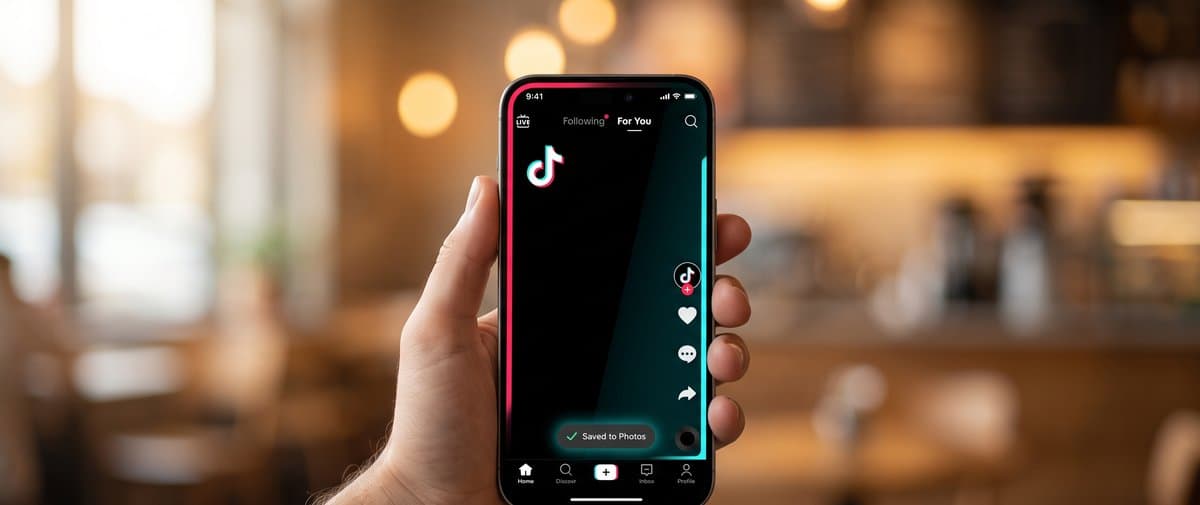
TikTok intentionally watermarks every shared video so it is traceable back to the creator and the platform. That is great for TikTok but annoying when you want a clean copy for a personal backup, a presentation, or to re-share with credit. The good news is you do not need a paid app or a jailbroken iPhone to get the watermark-free version. The method below works on iPhone 11 through iPhone 16, on iOS 17 and iOS 18, in Safari and in Chrome.
The fastest method: browser only, no app install
The cleanest way to save a TikTok video to your iPhone without the watermark is the browser. No app, no login, nothing installed.
- Open the TikTok app, find the video you want, tap Share, then tap Copy Link.
- Open Safari (or Chrome) on the same iPhone and go to our TikTok Downloader.
- Tap the paste button or long-press the input field and choose Paste.
- Tap Download. The tool will fetch the no-watermark MP4 directly from TikTok and show a Download button.
- Tap Download. The MP4 saves to Files > On My iPhone > Downloads.
- Open the Files app, tap the new MP4, tap the share icon (square with arrow), and tap Save Video. The clip is now in your Camera Roll.
That whole flow takes about 20 seconds once you have done it once. No watermark, no TikTok username, original HD quality, MP4 format that works in any video editor.
Why our downloader gets the no-watermark version
When TikTok serves a video to a normal share button, it appends a watermark overlay with the TikTok logo and the creator username. That is a separate render path. The TikTok mobile app and website have a second playback URL that is the clean source file, used for playing the video in-feed.
Our TikTok Downloader calls TikTok's internal API the way the app itself does, asks for the in-feed playback URL, and returns that MP4 to you. The file you get is byte-identical to what the creator originally uploaded, just without the watermark layer added on top.
Method 2: iOS Shortcuts (one-tap download)
If you save TikTok videos often, the Shortcuts app turns this into a one-tap operation directly from the TikTok share sheet.
- Open the Shortcuts app on your iPhone.
- Tap the plus icon top-right to create a new shortcut.
- Add the action Get Contents of URL. Set the URL to our endpoint (we publish the API in the help docs on the tool page).
- Add the action Get Dictionary from Input, then Get Value for video_url.
- Add Get Contents of URL again with the extracted MP4 link.
- Add Save to Photo Album. Choose Recents.
- Toggle Show in Share Sheet on. Set Share Sheet Types to URLs only. Save it as TikTok No Watermark.
Now when you tap Share inside the TikTok app, your new shortcut appears in the share sheet. One tap downloads the clean MP4 straight to your Photos. The first run will ask permission to access Photos and a remote URL. Approve both.
When Safari blocks the download
Sometimes you tap Download and nothing visible happens. Safari does this when one of three things is wrong.
First, your download location is set to iCloud Drive but iCloud is out of space. Go to Settings > Safari > Downloads and choose On My iPhone. This puts the file in local storage and bypasses the cloud quota.
Second, you have a content blocker like AdGuard or 1Blocker turned on, and it is filtering the response from our download endpoint. Tap the small aA icon in the Safari address bar, choose Website Settings, then turn off Use Content Blockers for this site. Retry.
Third, Low Data Mode or Low Power Mode can pause downloads in the background. Disable both in Settings briefly, retry, then re-enable.
What about the Photos app save quality
iOS preserves the exact MP4 bitstream when you Save to Photos. There is no re-encode, no quality drop. A 720p HD TikTok stays 720p HD. A 1080p video stays 1080p. If you want even higher quality and the original was uploaded in 4K (rare on TikTok), our downloader returns the highest available variant TikTok serves.
Common mistakes that bring the watermark back
People often think their downloaded TikTok has a watermark because of the tool, but really one of these is happening.
You used TikTok's own Share > Save Video option in the app. That always watermarks. Stop using it. Use the browser method above.
You used a downloader that scrapes the public share URL (most free downloaders do this). The share URL serves the watermarked version. Our tool calls the in-feed API, not the share URL.
The original creator added their own watermark in CapCut or Premiere before uploading. There is nothing any downloader can do about a baked-in watermark from the source video.
TikTok privacy note
TikTok keeps a record of downloads tied to your account when you use the in-app Save Video button. Using a browser downloader is more private, because TikTok cannot tie the download to your account if you are not logged into TikTok in that browser. If you care about this, open the link in a private Safari tab.
Quick checklist
- Copy the TikTok link from the in-app Share menu, not the browser address bar (mobile address bars often show m.tiktok.com which works but is slower).
- Paste into our TikTok Downloader.
- Tap Download, then Save Video from the Files app to move it to Camera Roll.
- For repeat use, set up the iOS Shortcut so it becomes one tap from the TikTok share sheet.
That is the entire no-watermark workflow on iPhone in 2026. No subscriptions, no in-app ads, no quality loss. The video saves clean and full HD to your Photos, ready for editing or re-sharing.
Frequently asked questions
Can I download TikTok videos to my iPhone without installing an app?
Yes. The fastest way is to paste the TikTok link into our TikTok Downloader in Safari or Chrome on iPhone, tap Download, then tap Share and choose Save to Photos. No app install, no TikTok login, no in-app purchases.
Why does my downloaded TikTok still have the watermark?
Because the downloader you used grabbed the WATERMARKED version of the video (the one served to the share button). Our tool fetches TikTok's no-watermark playback URL directly from the API, so the saved file has no logo, no username overlay, and no white watermark.
Where does the file save on iPhone?
Safari downloads land in the Files app under On My iPhone > Downloads by default. To move to Camera Roll, tap the video, tap Share, and choose Save to Photos. With Chrome on iOS, tap the downloaded file directly and choose Save Video.
Does this work on iPad too?
Yes. The browser method works identically on iPad in Safari. Files save to Files > Downloads. Tap Share > Save Video to send them to Photos.
Is downloading TikTok videos legal?
Downloading TikTok videos for personal viewing or backup of your own posts is fine. Re-uploading someone else's video without permission or credit can violate TikTok's terms and copyright law. Always credit the creator and only re-share with permission.
Why does the download fail in Safari sometimes?
Safari can block downloads if your Settings > Safari > Downloads is set to iCloud Drive but you are out of storage, or if a content blocker extension is interfering. Switch download location to On My iPhone, disable the content blocker for our site, then retry.