How to Download Instagram Profile Picture in Full HD (2026 Guide)
Instagram crops profile pictures to a 150x150 thumbnail in the app, but the original full-resolution version is still on Instagram's CDN. Here is how to download it in full HD.
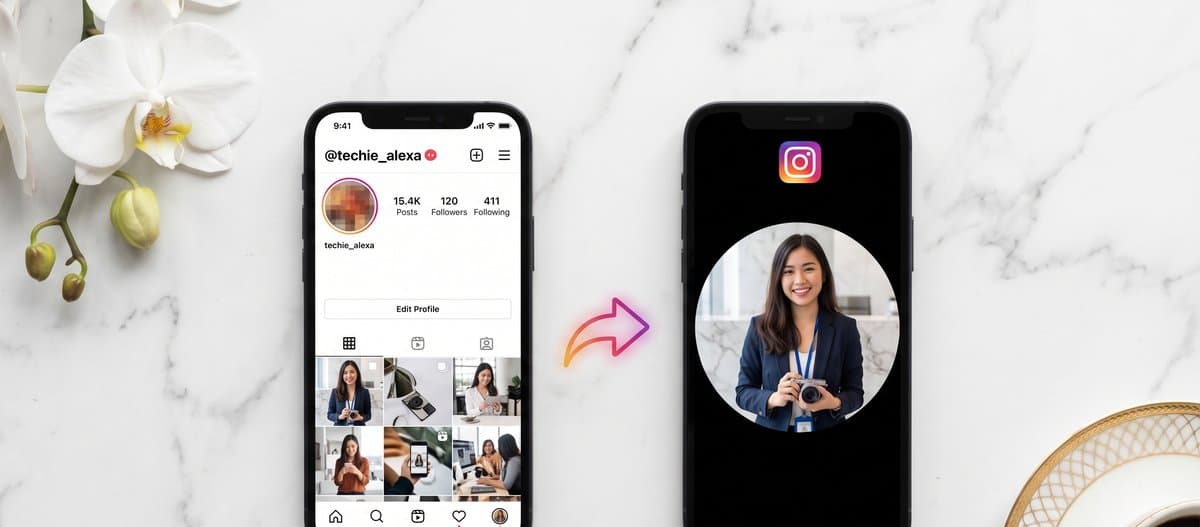
Instagram displays profile pictures as tiny 150x150 thumbnails inside the app. When you tap one, the most you usually get is a slightly bigger preview that is still nowhere near the original upload size. Meanwhile, Instagram's content delivery network is still hosting the original 320x320 or 1080x1080 version of that photo, it just refuses to show it in the standard interface. This guide shows you the legitimate browser-based way to view and download that full HD version in 2026.
What size is an Instagram profile picture really?
Instagram has three internal storage sizes for every profile picture.
The smallest is the 150x150 thumbnail, which is what shows in the app feed, search results, and most other places. The middle size is 320x320, used in some web contexts. The largest is 1080x1080, which Instagram only generates when the user uploads a profile picture from the desktop website at instagram.com.
Older profile pictures (uploaded before 2020) sometimes only exist at 320x320 because the desktop upload flow did not exist yet. Newer pictures from desktop uploads almost always have the 1080x1080 version. Our downloader grabs the largest version Instagram has stored.
Method 1: Use our Instagram Profile Picture downloader
This is the fastest way. Works on any device, no install, no login.
- Open Instagram in any browser and go to the profile you want (instagram.com/username). On mobile, the in-app share button works too, just tap the three-dot menu, then Copy Link.
- Copy the profile URL (it looks like https://www.instagram.com/zuck/).
- Open our Instagram Downloader.
- Paste the URL and tap Download.
- The tool detects it is a profile URL (not a post URL) and returns the profile picture at the highest resolution Instagram has stored.
- Tap Download Image. On iPhone, share it to Photos. On Android, it saves to your Downloads folder.
The entire flow takes about 10 seconds. The file is byte-identical to what is on Instagram's CDN, no compression, no watermark.
Method 2: Inspect the page (desktop, no tool)
If you are on a desktop and want to do this without any third-party tool, you can manually fetch the high resolution from the page source.
- Open the profile in Chrome or Firefox at instagram.com/username.
- Right-click anywhere on the page and choose View Page Source.
- Press Ctrl+F (Cmd+F on Mac) and search for profile_pic_url_hd.
- The string after the colon is the direct URL to the 320x320 or 1080x1080 image on Instagram's CDN.
- Copy that URL, paste it in a new browser tab, and right-click the image to save it.
This is the same URL our tool fetches automatically. The advantage of the manual method is zero third-party access. The disadvantage is you have to do it every time and it does not work on mobile where there is no view-source.
Why the in-app zoom never works
Many people try to long-press a profile picture inside the Instagram app expecting it to expand. It does not. Instagram intentionally disables this gesture because they want you to tap into the profile, not extract assets. The mobile app caches only the 150x150 thumbnail locally. The 320x320 or 1080x1080 version is fetched server-side when the website needs it, but the app never requests it.
The third-party apps on the App Store and Play Store that claim to do this are doing exactly what our tool does, just with the added overhead of you installing an app, granting it Instagram permissions, and seeing ads in it. The browser method is faster and more private.
Private accounts
If the account is private, the high-resolution version is not publicly accessible. Instagram only serves it to confirmed followers, and even then only through the official mobile and web client (the CDN URL is signed). No tool can fetch it without an authenticated session of an approved follower.
Two things people often mistake for being able to download a private profile picture:
The 150x150 thumbnail of a private account is sometimes still publicly cached. You can right-click it and save, but it will be tiny.
Some sites claim to have a private Instagram viewer. They do not. They either show you the same 150x150 thumbnail, or they are fishing for your Instagram login. Do not enter your credentials anywhere except instagram.com.
What about Story or Highlight covers?
The same method works for Story covers and Highlight covers. Both are stored on the same Instagram CDN as the profile picture, just at a smaller fixed size. Paste the Story or Highlight URL into our Instagram Downloader and it will return the cover image alongside any video assets.
Privacy and legal note
Downloading a public profile picture is not illegal in any jurisdiction we are aware of, because the image is being served publicly by Instagram to anyone who visits the URL. However, re-using it commercially (in an ad, on a website, on merchandise) is a copyright violation against the person who owns the photo. Always get permission before using someone else's profile picture for anything beyond personal viewing.
Instagram does not notify users when their profile picture is viewed or downloaded, on any device, by any method. There is no in-app log of viewers, no email alert. This is different from Stories, where Instagram explicitly logs viewers in the Story Insights panel.
Quick checklist
- Copy the full profile URL (instagram.com/username/), not the post URL.
- Use our Instagram Downloader, paste, download.
- If the result looks small (320x320), the user uploaded their profile picture from the mobile app. There is no larger version on Instagram's servers.
- For 1080x1080 results, the user uploaded from the desktop website. You get the best-quality copy.
That is the full method. Works on every phone, every browser, every public Instagram account. No login, no app, no compression, no watermark.
Frequently asked questions
Why does Instagram show profile pictures so small?
Instagram displays profile pictures as 150x150 pixel thumbnails in the app. The original high resolution upload (320x320 or 1080x1080) is still stored on Instagram's CDN, the app just chooses not to show it at full size. Our downloader fetches the largest version directly from the CDN.
Can I download a profile picture from a private account?
No. Instagram only serves the high-resolution profile picture publicly for public accounts. For private accounts, only the 150x150 thumbnail is reachable, and you still need to be a confirmed follower to see it inside the app.
What size will the downloaded profile picture be?
Most modern Instagram profile pictures are 320x320 (uploaded from the mobile app) or 1080x1080 (uploaded from the desktop website). The download is whatever Instagram has stored on its CDN, with no compression or downscaling applied by us.
Will the account owner be notified that I downloaded their photo?
No. Instagram does not notify users when their profile picture is viewed or downloaded by anyone, regardless of the method used. Profile pictures are different from Stories, where viewers are explicitly logged.
Does this work on iPhone and Android?
Yes. The method is browser-based and works identically on iPhone (Safari, Chrome), Android (Chrome, Samsung Internet, Firefox), iPad, Mac, Windows and Linux. No app install needed.
Why is the file a .jpg and not a .png?
Instagram converts all uploaded profile pictures to JPEG format on the server to save bandwidth, even if you originally uploaded a PNG. The downloaded file will always be a .jpg.